Serity - CCTV Theme
CCTV and Security Cameras WordPress Theme
Quick start
Minimal Requirements:
- PHP version 5.6 or newer
- MySQL (4.1+)
- WordPress 4+
Quick installation with WordPress already installed:
- You should have WordPress >=4.9 installed ( https://wordpress.org/ ), best if you have clean installation.
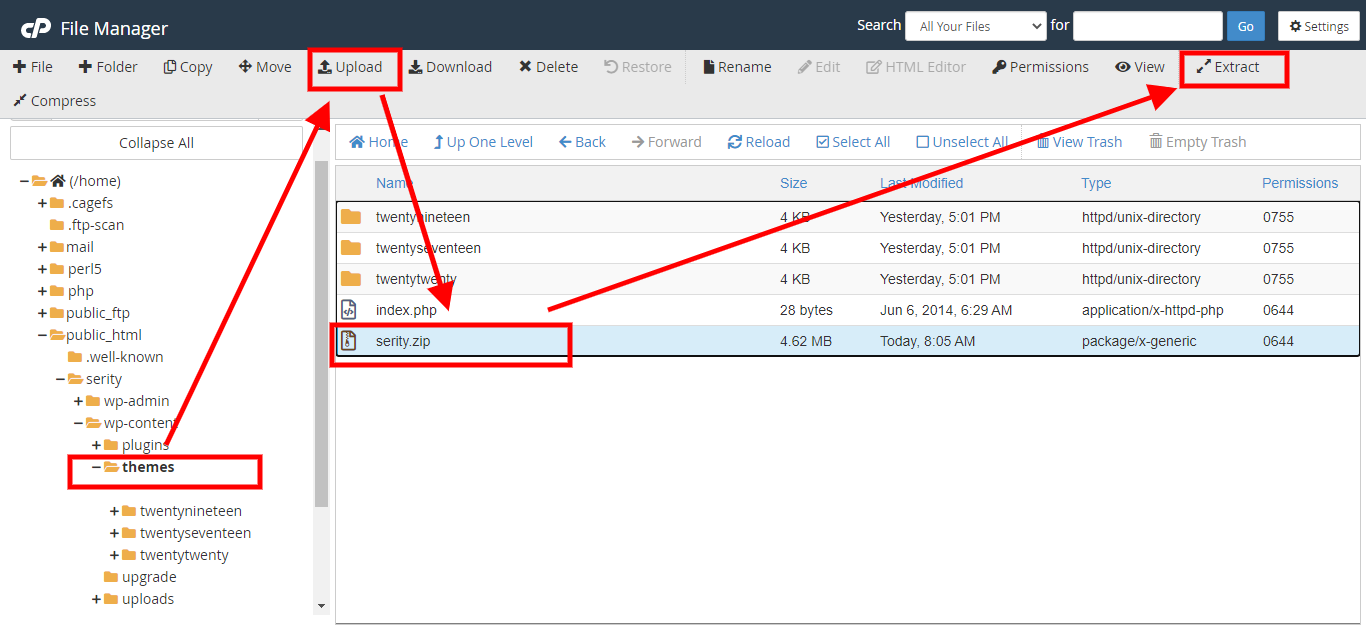
- Upload serity.zip on server via cpanel file manager to folder "wp-content/themes" and extract directly on server or just extract in localhost server
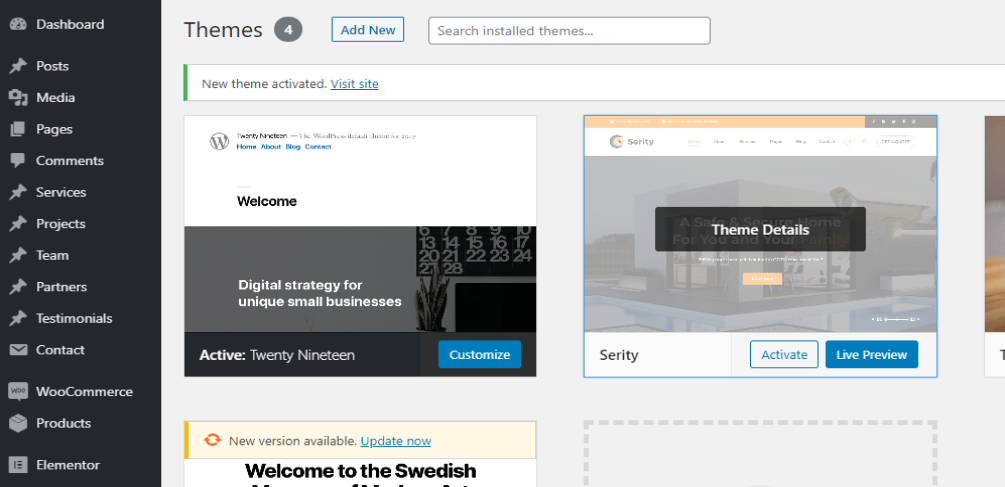
- Open your WordPress Administration, click on Appearance and Activate Serity theme
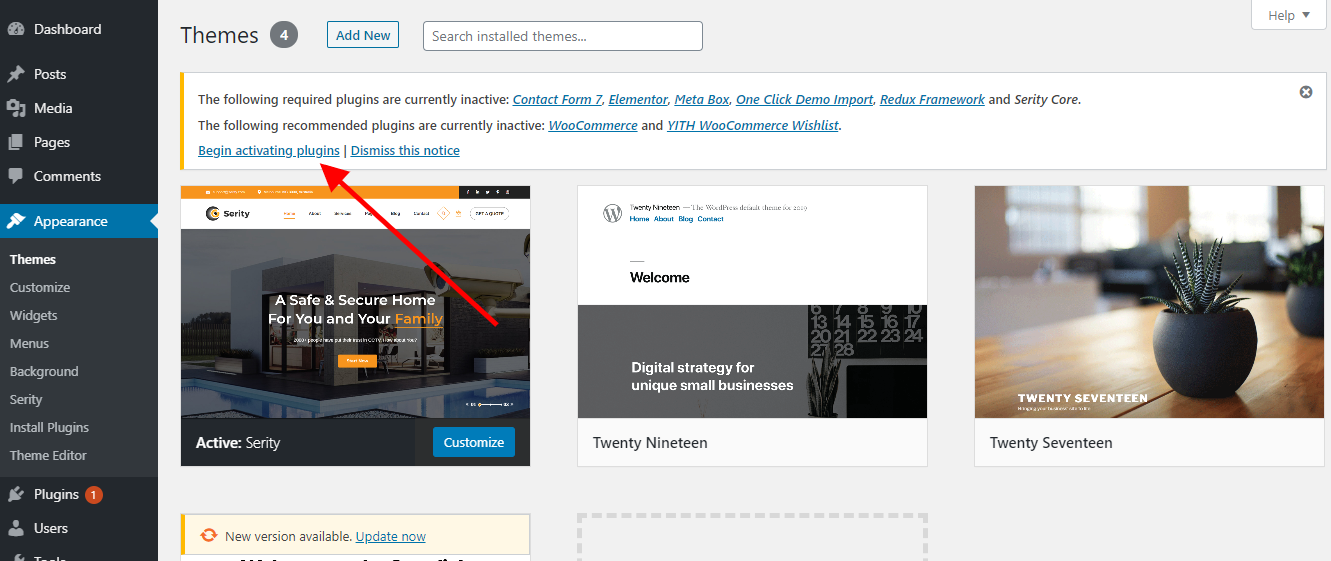
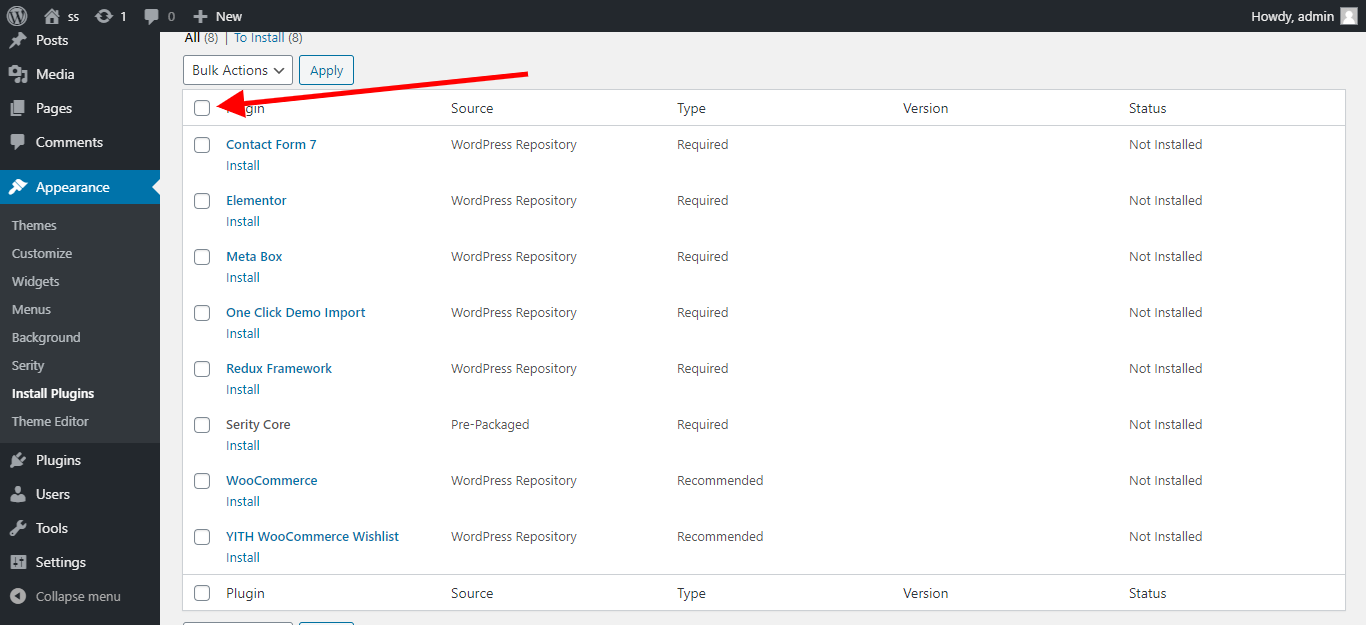
- Click on install theme and follow installation procedure, just clicking "next".
Cpanel screens:
2. Upload serity.zip on server via cpanel file manager to folder "wp-content/themes" or via wp dash if your server allow big files upload
3. Activate theme in your WordPress admin dashboard:
4. Install theme, plugins:
Demo Import
If you run into issues such as white screen, your demo import fails or takes a long time, it’s not imported completed, and other similar issues are all related to low PHP configuration limits.
Check the Recommended PHP Configuration Limits- max_execution_time 600
- memory_limit 128M
- post_max_size 48M
- upload_max_filesize 48M
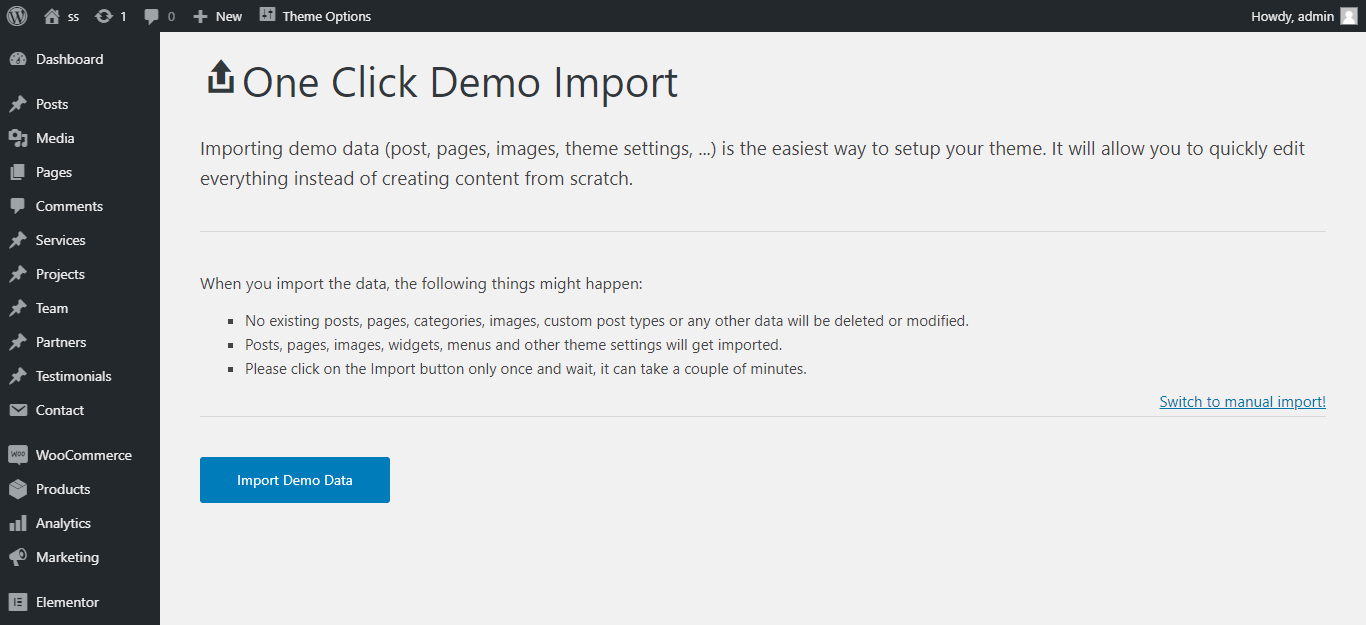
- Go to Import Demo Data -> Click The Import Demo Data
- Step 2: Import the demo you want
- When the import is done you get this message:
Theme Optiions
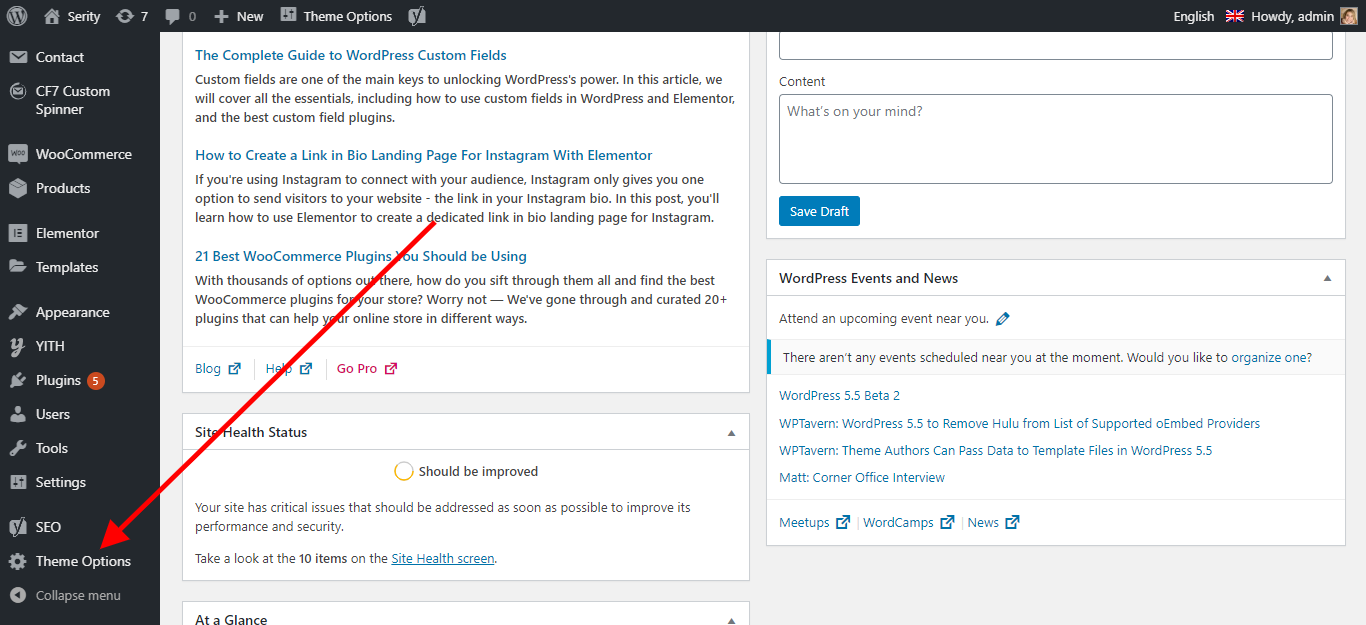
In WordPress you can see here:
Admin -> Theme Options
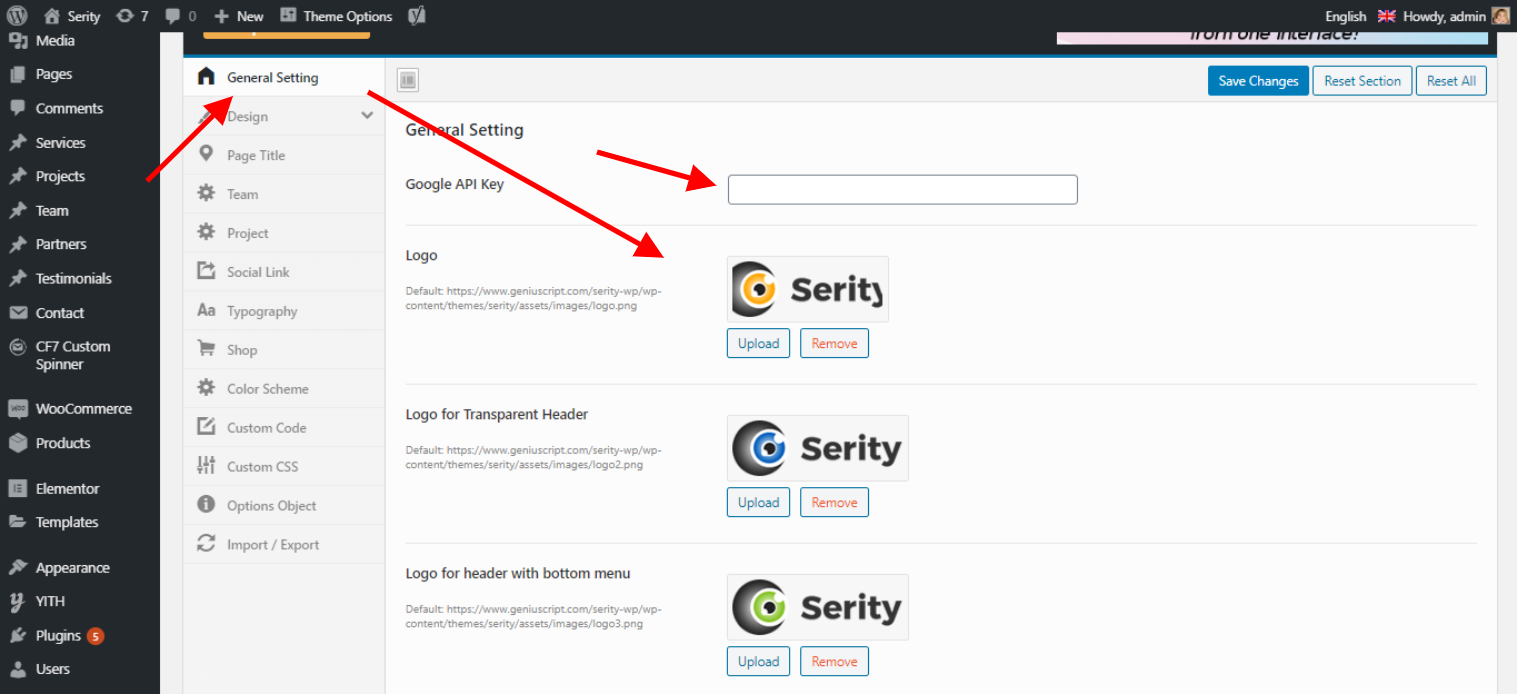
General Settings
You can change the Logo Settings and insert the Google MAP API Key.
Header Footer Desgin and Layout Settings
You can change the Header Footer and Main Menu Settings.
Header Settings
Header LayoutAdmin -> Theme Options -> Design -> Header -> Choose Header
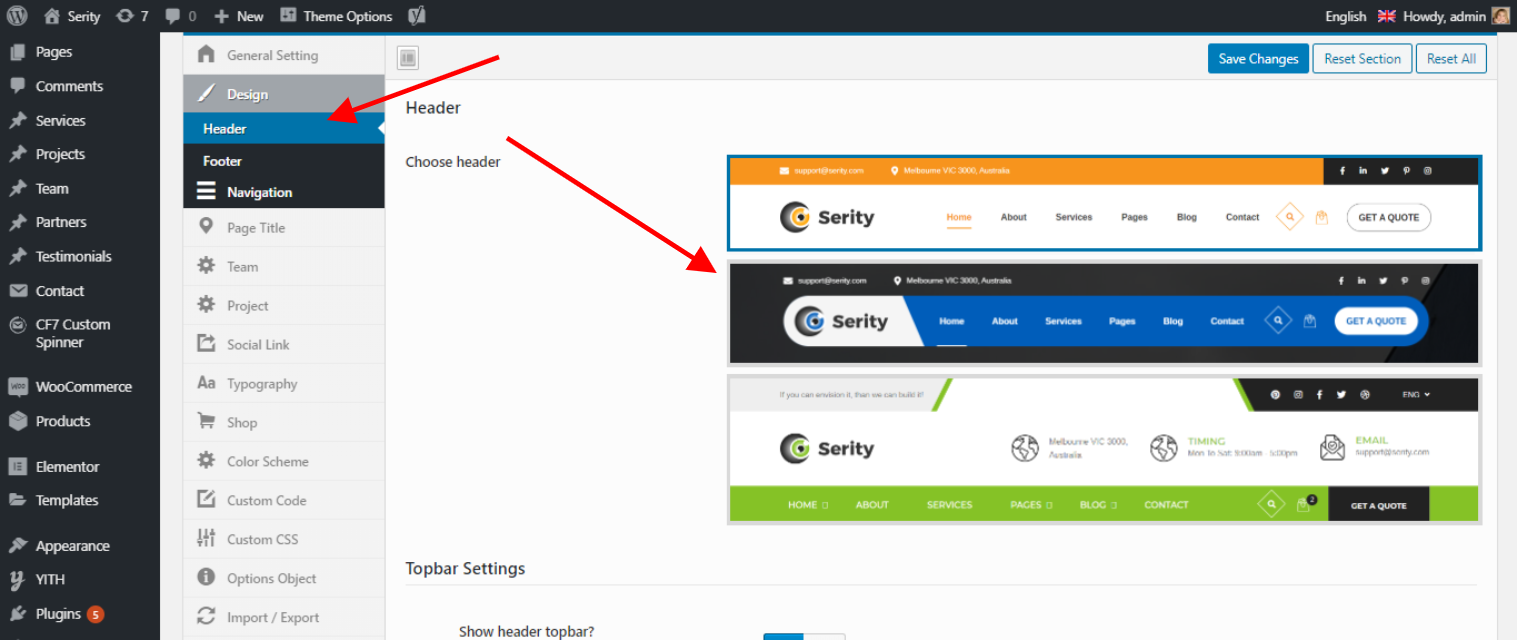
Admin -> Theme Options -> Design -> Header -> Topbar Settings
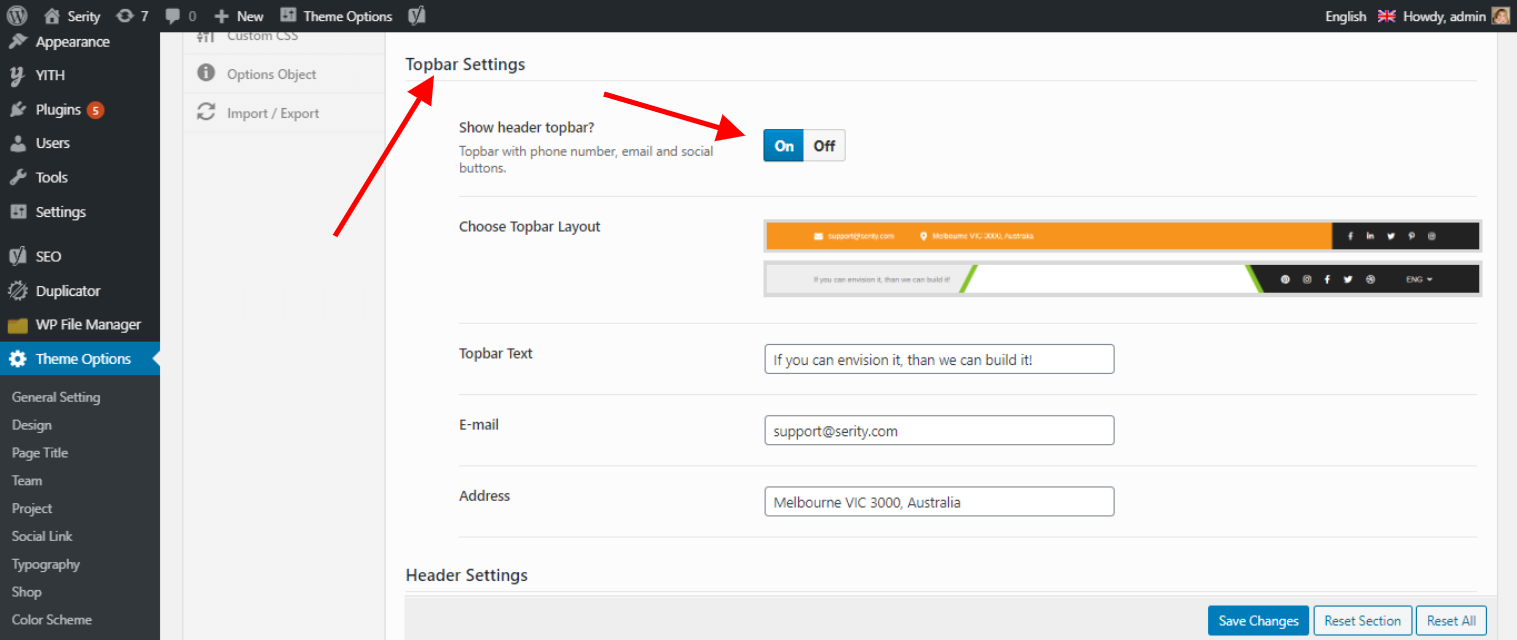
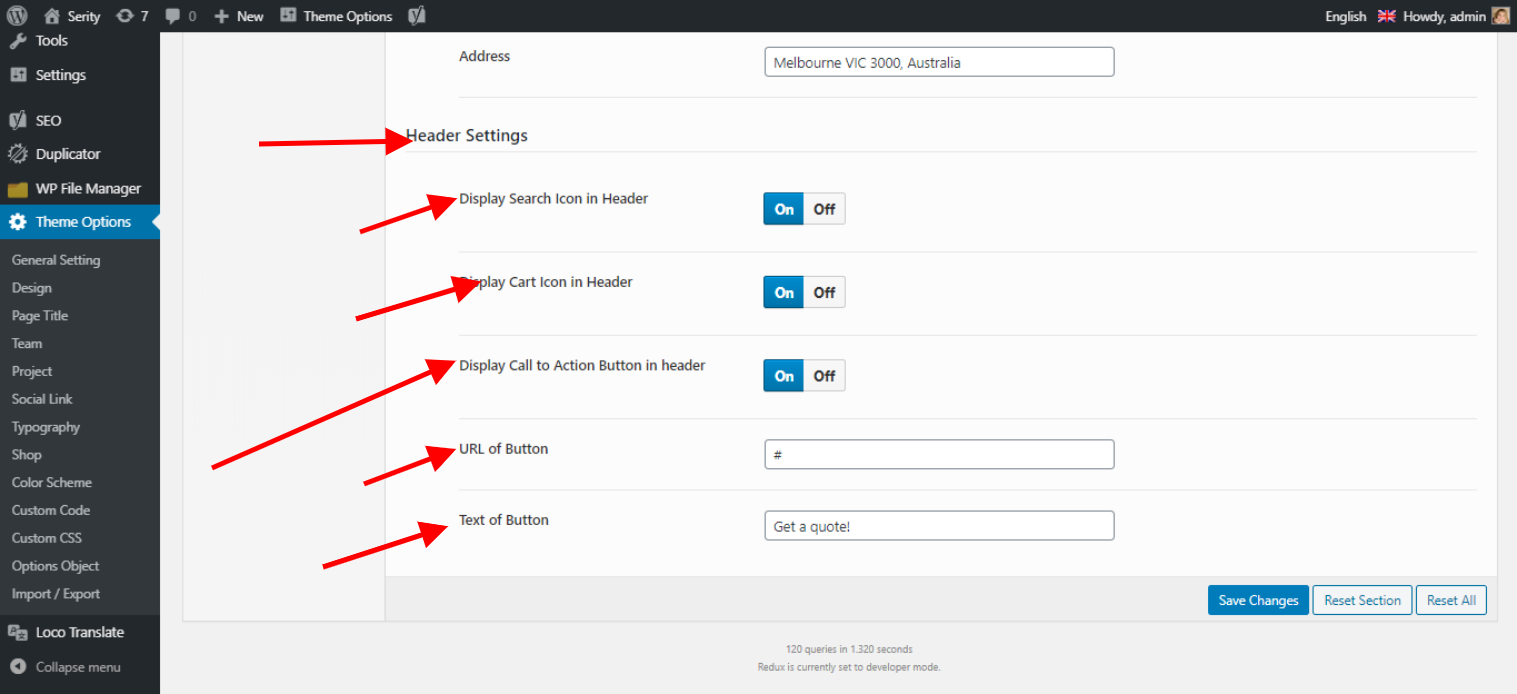
Header Settings
Header Search, Header Cart, Header Call to action Buttons settings
Footer Settings
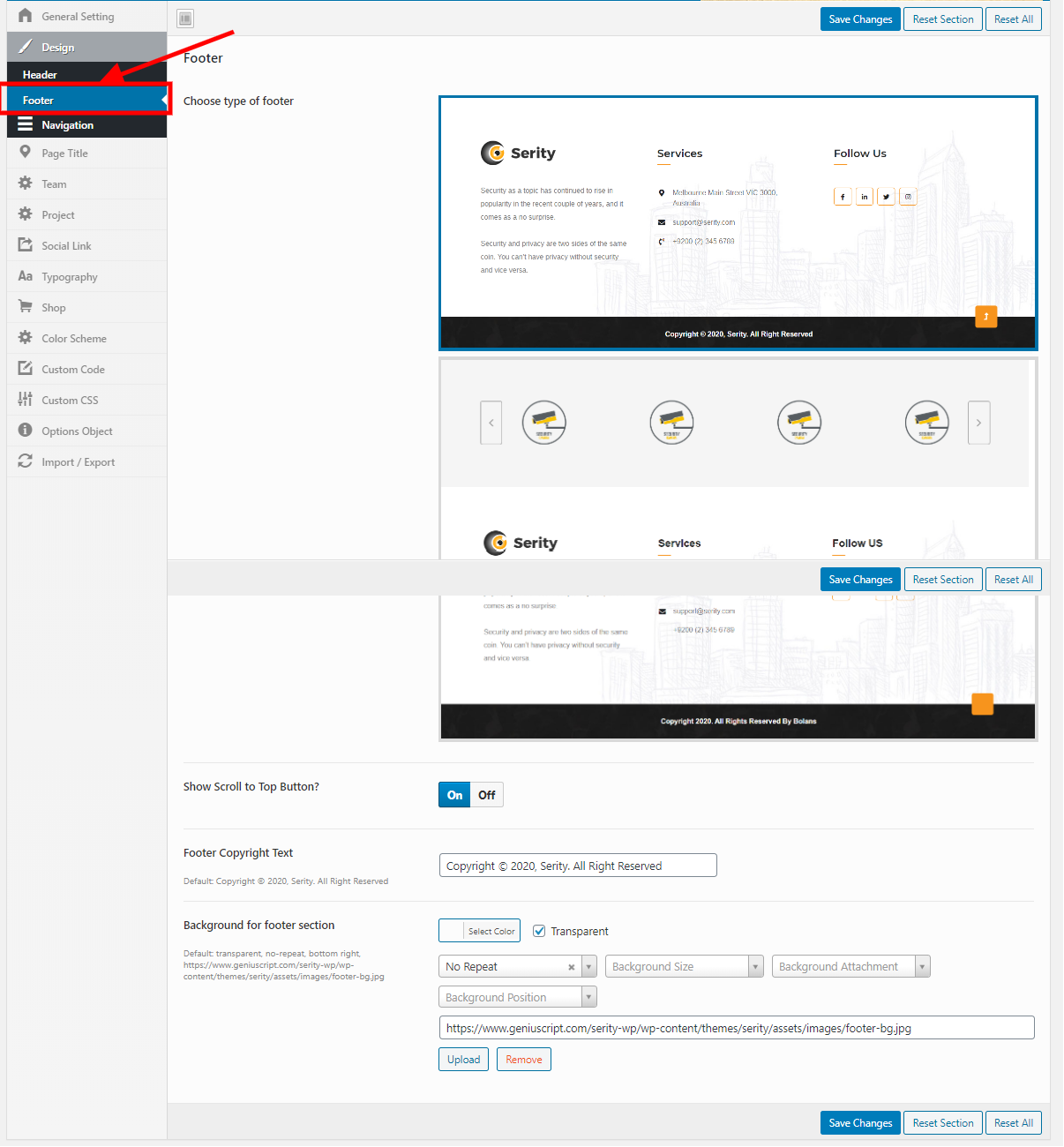
Admin -> Theme Options -> Design -> Footer
You can change the Footer Layout and copyright Settings.
Navigation Settings
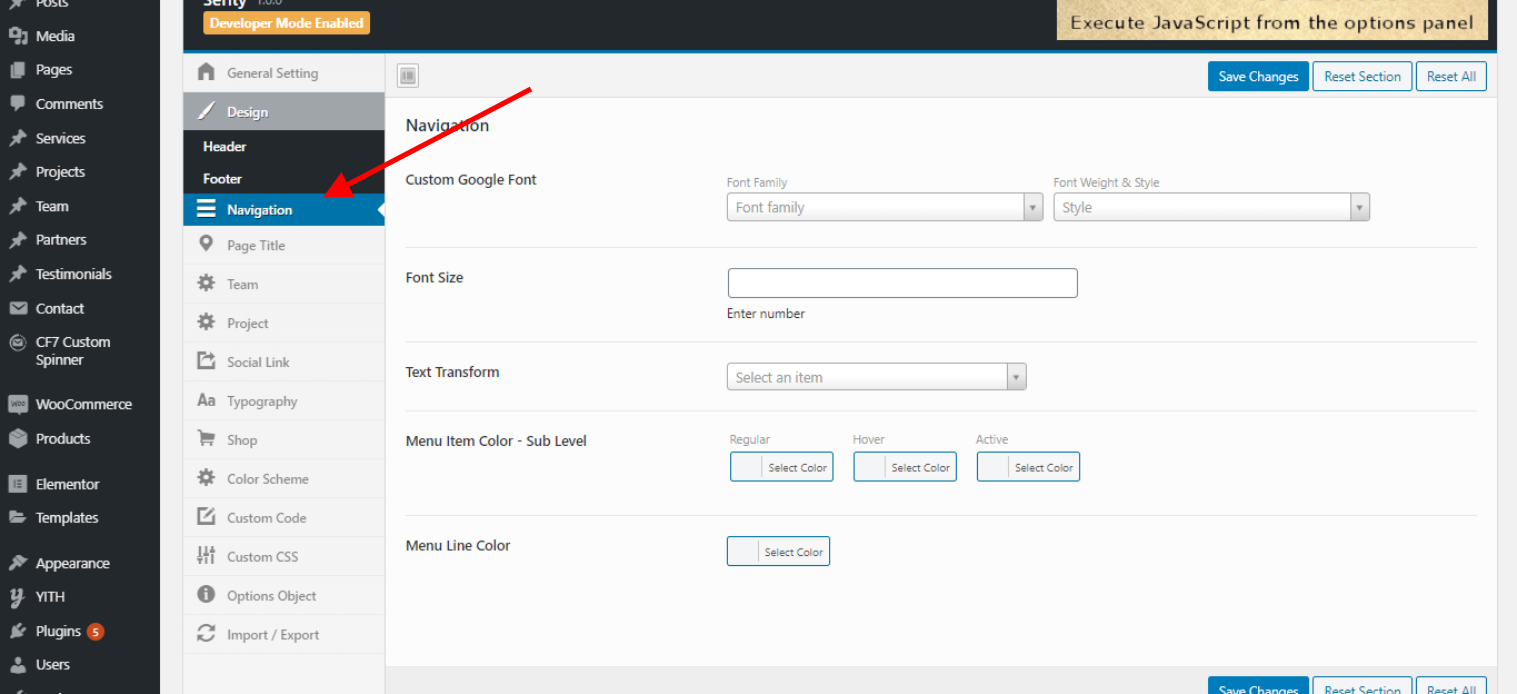
Admin -> Theme Options -> Design -> Navigation
You can change the Navigation Desgn related Settings.
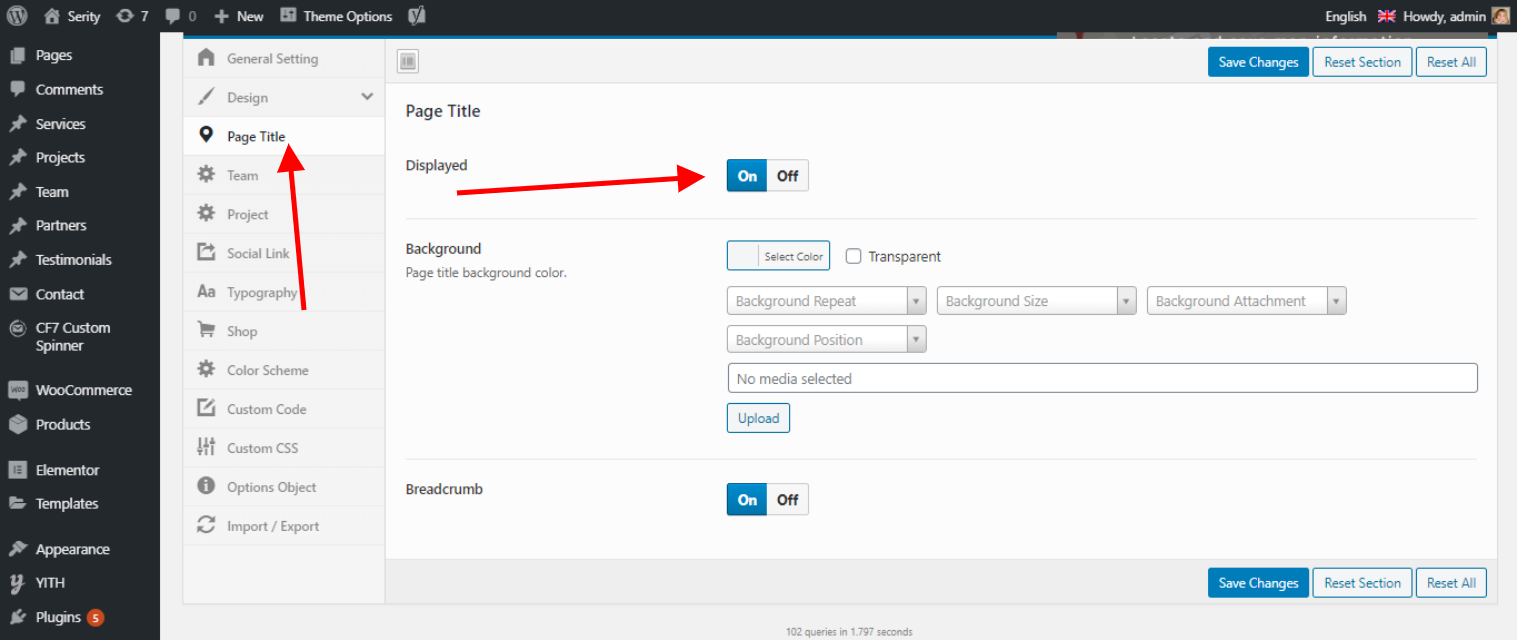
Page Title Settings
You can change page Title background and breadcrumbs settings
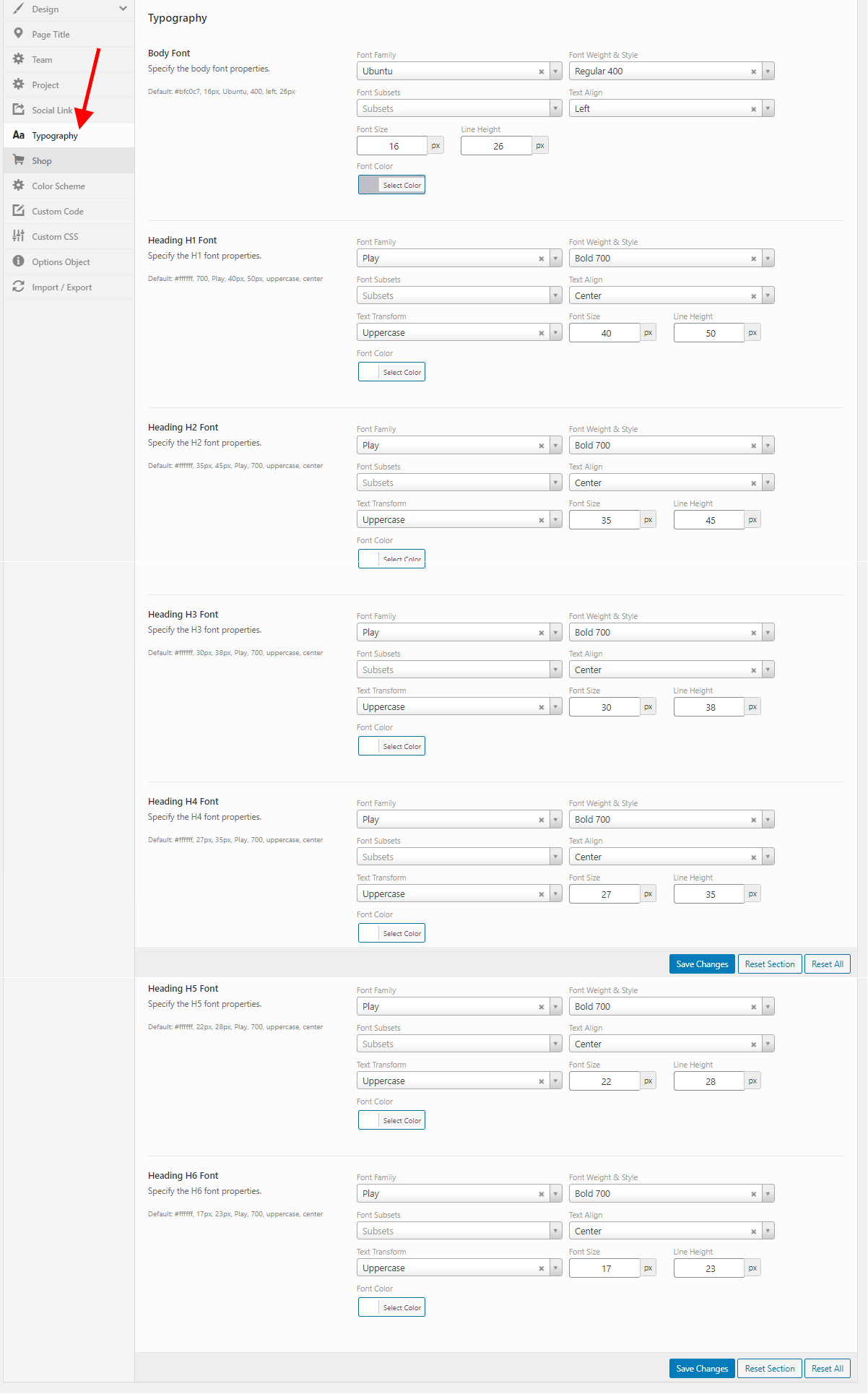
Typography
Admin -> Theme Options -> Typogrophy
You can change the Body and heading Typography.
Color changes
Colors can be changed in standard WordPress customizer with css or some default color changes
Example:
when logged in as admin, click on customize
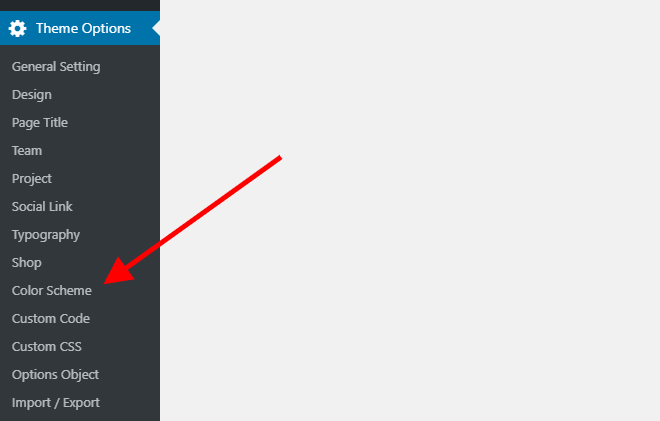
then color shemas or if you want to change some very specific color or layout part can be with css
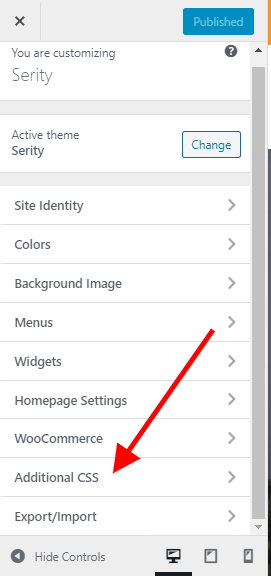
All details about css modification: https://en.support.wordpress.com/custom-design/editing-css/
Elementor Widgets
Elementor is a page builder plugin that replaces the basic WordPress editor with a live frontend editor, so you can create complex layouts visually, and design your website live, without having to switch between the editor and the preview mode. https://elementor.com/blog/what-is-elementor-for-wordpress/
Multiple Serity Elementor Widgets You can easily customize and manage widgets in elementor.
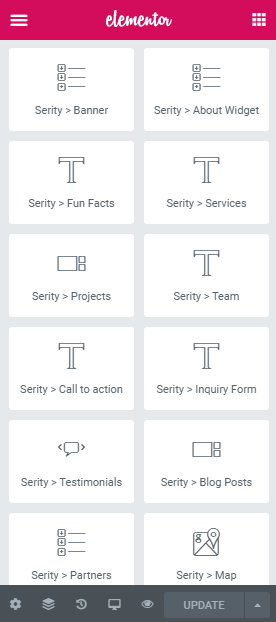
Please read this elementor offical documentation here https://docs.elementor.com/
Translation guides
In WordPress you can change langauge here:
Admin->Settings->General->Site Language
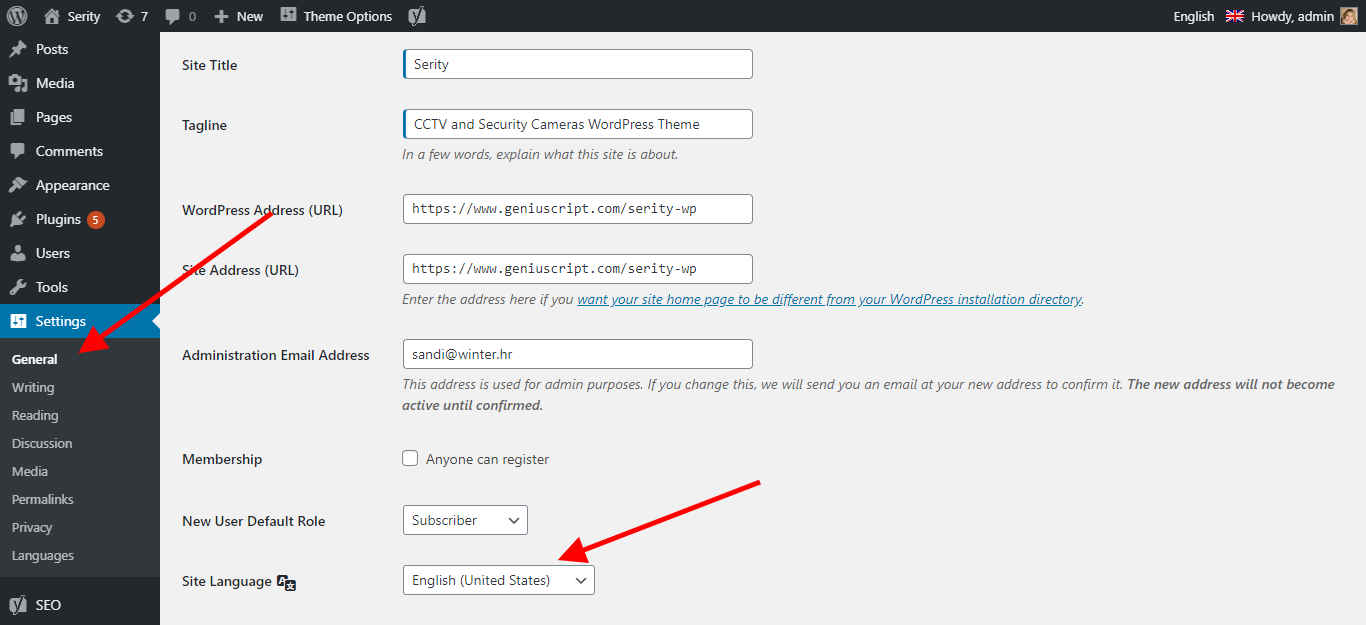
For translations we suggest Loco Translate plugin
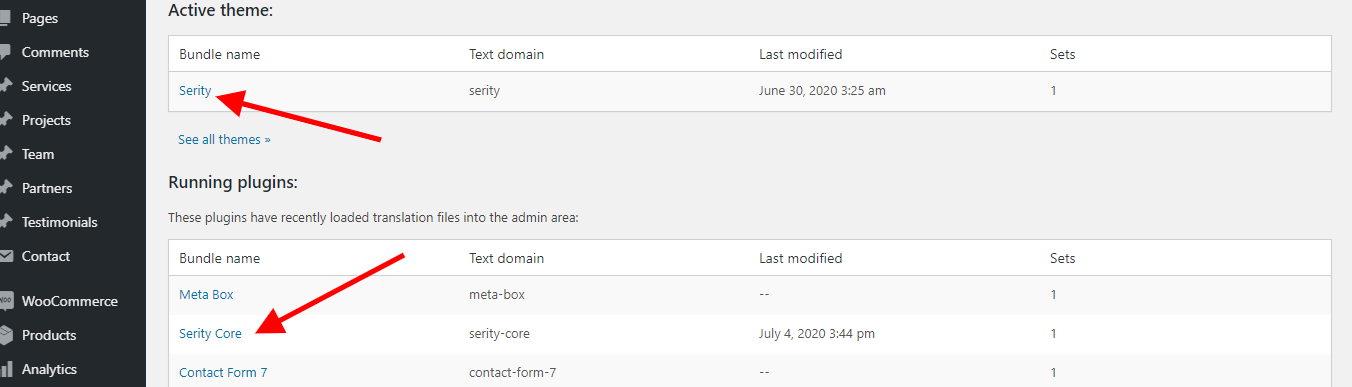
Multilanguage WPML

Our plugin also support commercial WPML if you will need it, WPML require additional page for each langauge.
1. Buy and Download CMS version here: https://wpml.org/
2. Install WPML in usual regular way (default order of languages, because in our plugin first language in order is also default) and add new pages for each langauge and page:
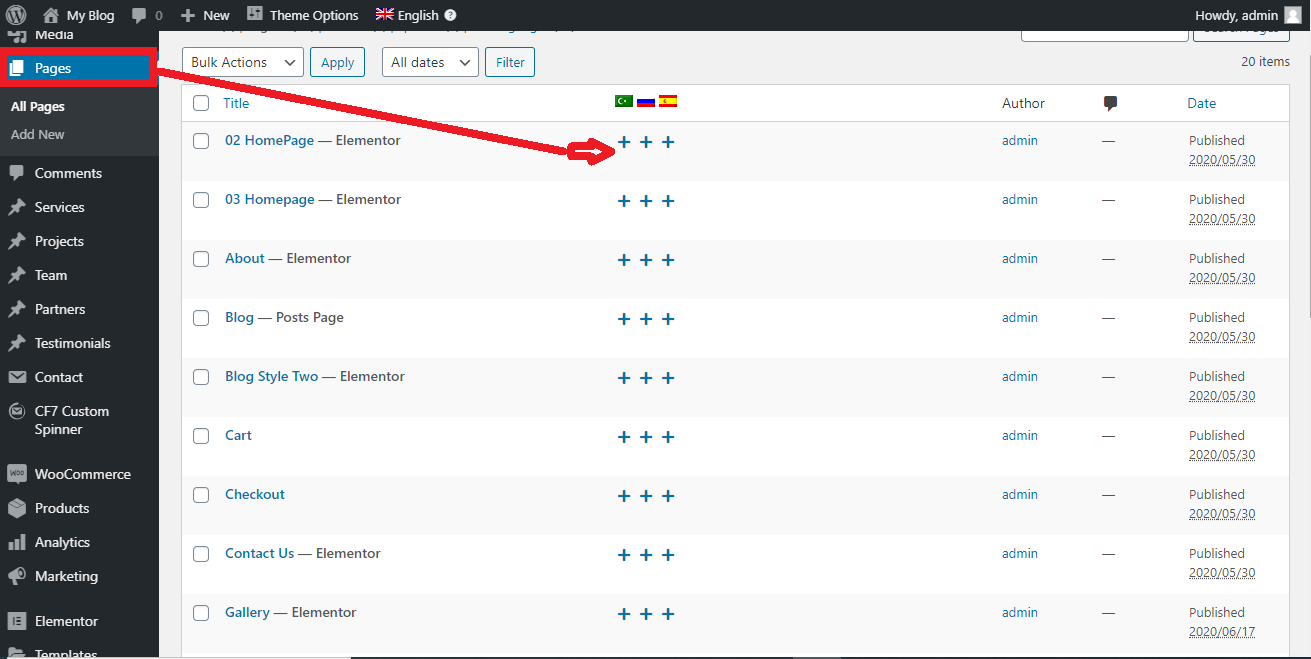
Multilanguage required - In dashboard required fields must be populated for all languages
If Multilanguage required will be unchecked, then fields will be copied or auto translated
You can provide Google Translate API key (not free) for best Google translations, in other case MyMemory free api will be used.
Instructions to get API key: https://cloud.google.com/translate/v2/getting_started
Limit cURL calls is there because some servers doesn't allow unlimited calls for translations (each input field translation require one call), here can be limited and other translations will be just copied.
On quick submission user need to populate only default language
Widgets
As any other WordPress plugin or theme, our also contain lot of Widgets which can be added to some predefined places in specific template
Usually it's right sidebar or footer. For example search form fit nicely right sidebat, map results listing footer etc.
In Admin->Appearance->Widgets you can drag & drop existing widgets (prefixed with SW) to such predefined places in your template
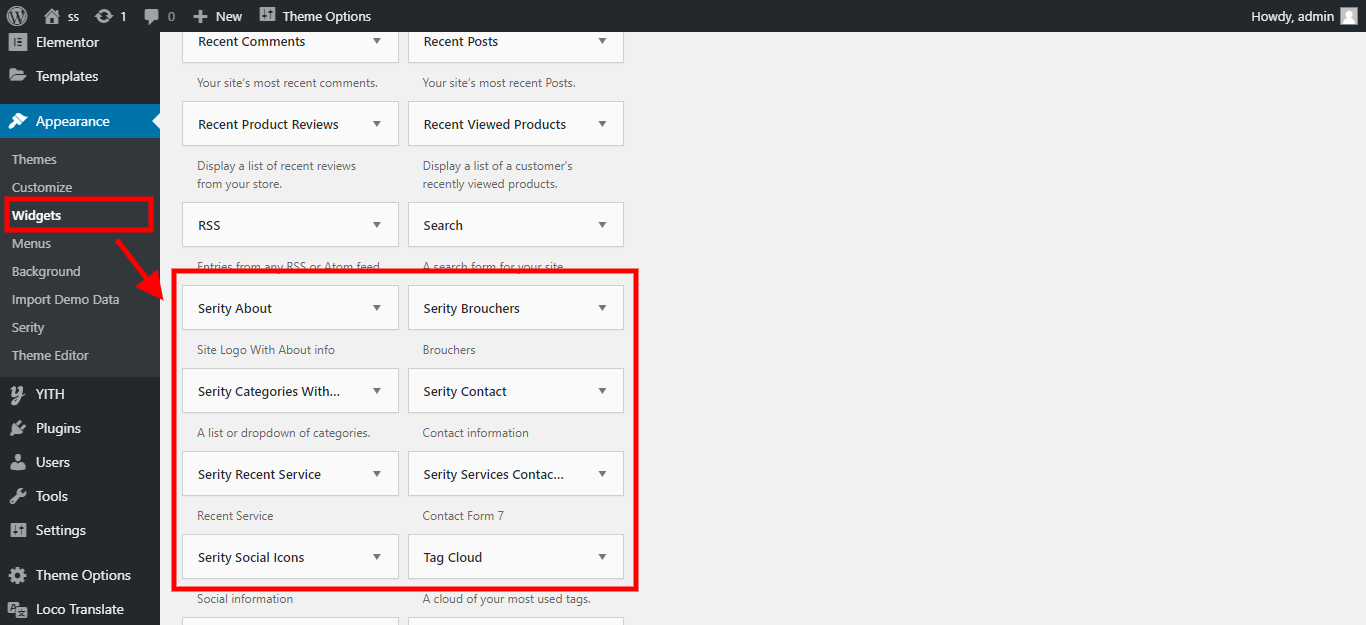
Our theme support standard widget placeholders, some are default or based on template used
You can also access to widgets editing via customizer, for example when logged in as admin, on wanted page click on customize:

and then widgets:

Support
We have special website made for support, frequency questions for customizations, guides for basic CSS/HTML, tips & tricks etc.: http://iwinter.com.hr/support
Hosting suggestion
Regarding hosting providers, we testing on:

FAQ
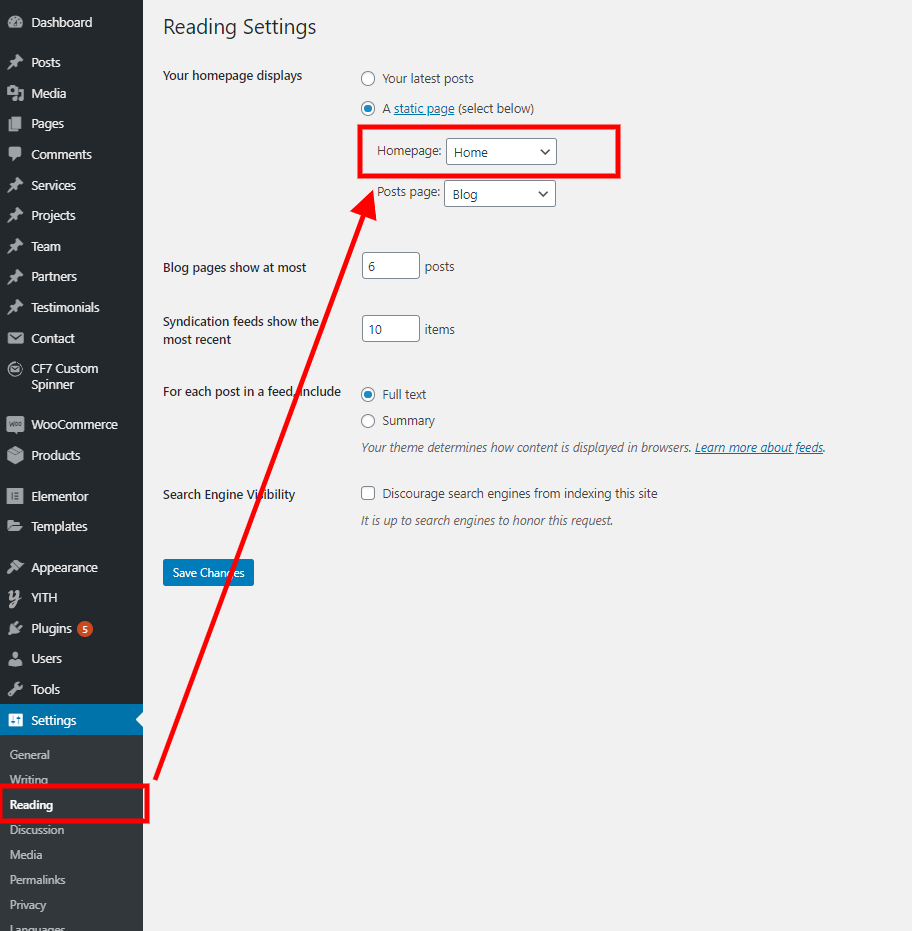
How to change homepage?
Admin->settings->reading
WordPress.com issues with install demo content on premium account:
WordPress.com doesn’t allow you to upload your own themes (you’re stuck with what’s available for free or in their marketplace) so in order to use any of the awesome themes on marketplace you’ll need to get yourself a self-hosted installation of WordPress.
We will try to make as most features possible compatible, but they have so many limitations for plugins that is not suggested to use it.
Use cheap and good hosting suggested in above section instead.
Installation failed with message: The package could not be installed. The theme is missing the style.css stylesheet. ?
You using wrong file for theme installation, open this file, maybe you have inside serity.zip , use this serity.zip file instead.
Link has expired message in WordPress?
Check this articles:
https://superpctricks.com/the-link-you-followed-has-expired-wordpress-error/
https://docs.presscustomizr.com/article/333-how-to-fix-the-link-you-followed-has-expired-in-wordpress
So this usually happen because of small upload_max_size configuration on server and is easy to solve. You can also extract theme directly on server cpanel file manager into folder "wp-content\themes\" instead of uploading via dashboard.
This sometimes happen in WordPress, not relate to theme, Clear your browser cache and cookies or use another browser / PC.
Also use clean latest WordPress version, because some third parity plugins can also cause that.
You receiving "Sorry you are not allowed to access this page" ?
Check above, similar to link has expired.
Also check your PHP version, must be min. 5.6 or above
Sources and Credits
I've used the following files and services as listed:
Thank you so much for purchasing this template. We will do our best to help you if you have any questions or issue relating to this plugin.